Select an instance from the list on the left to open its console.

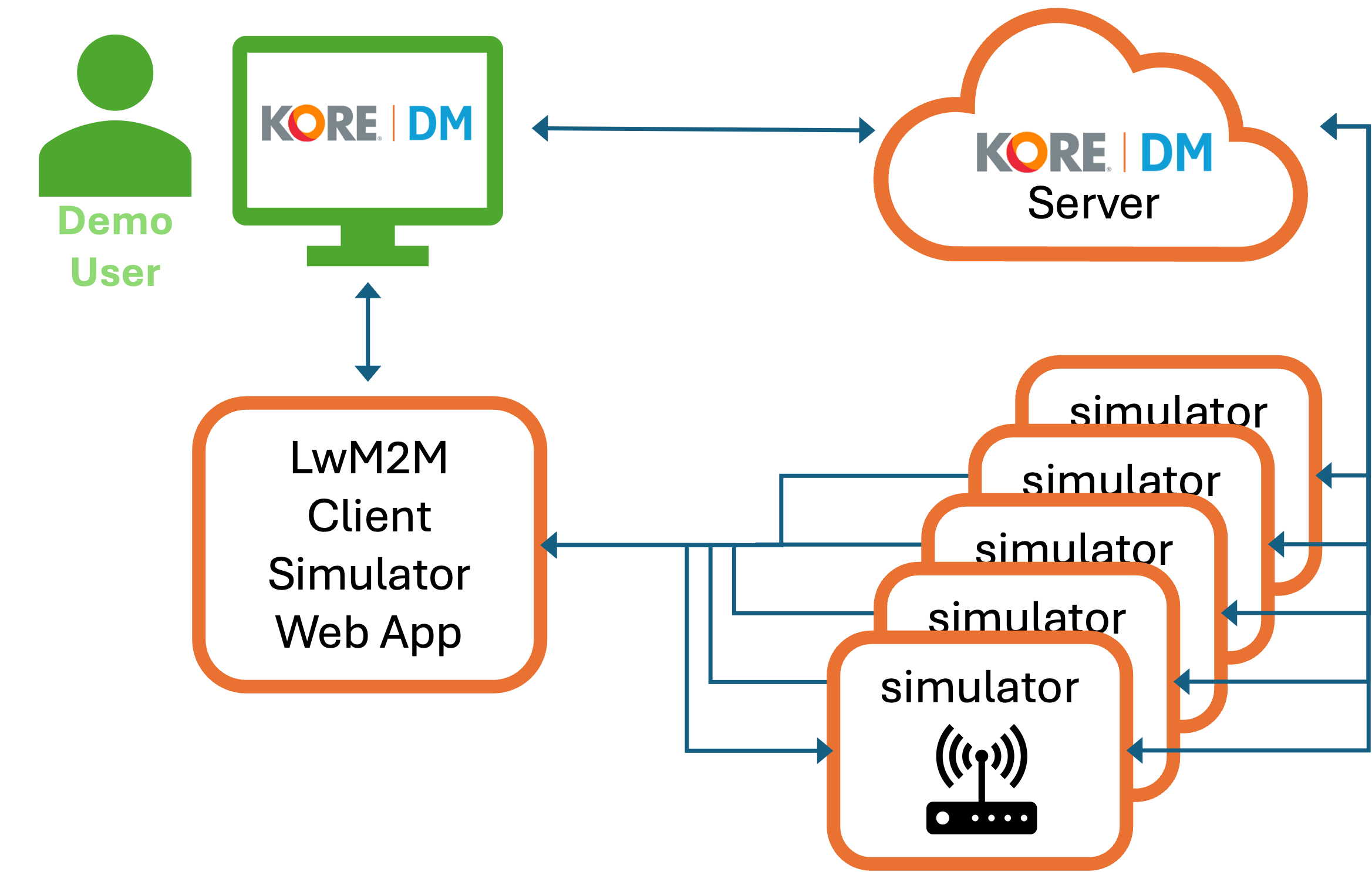
This simulator is a real LwM2M client — every action you take here (registering, reading or writing a resource, applying a firmware update) is the same protocol exchange a real device would have with the KORE-DM server. Working through the steps below is a hands-on way to learn how KORE-DM configures and manages devices in the field, not just how this app's buttons work.
status,
read 3/0/2, fw-update <uri>. No instance
prefix needed; the console is already scoped to whichever instance you
selected. Use the Status / Help buttons
for one-click shortcuts.set-temp 30 in its console — that writes Object 3303 /
Resource 5700 (Sensor Value) locally, exactly to 30°C, with no drift
applied yet. Then, in KORE-DM's device data model dashboard, open Object
3303 and read Resource 5700 — it performs a live LwM2M Read against this
device and shows the same 30°C you just set. Read it promptly: this
simulator also drifts and re-pushes the temperature on its own every
sensor_frequency seconds (see set-sensor-frequency,
default 300s), so the exact value you set only stays put until that next
automatic update.KORE-DM manages every device the same way, whether it's this simulator or a physical device in the field — by reading and writing a standardized tree of numbered Objects and Resources over LwM2M. Getting comfortable with that model here is directly transferable:
read 3/0/9 here reads the same value KORE-DM would.